











AI School ERP · Parent App · Staff App

Live bus tracking · Available on its own

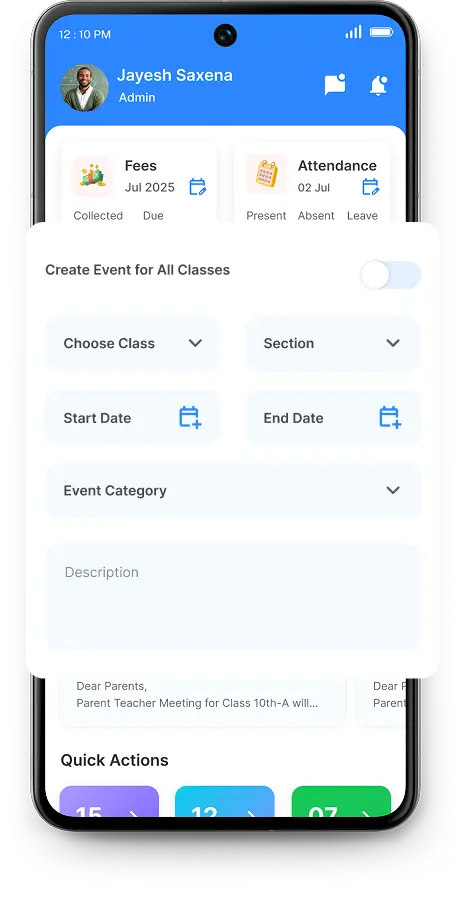
AI timetable · Clash-free by construction

Face recognition · Students and staff

School management software built for how Indian schools actually run — Edoovi ERP

School management software, built for Indian schools

Parents stop ringing the office to ask where the bus is

A whole school's timetable, generated in one pass — clash-free

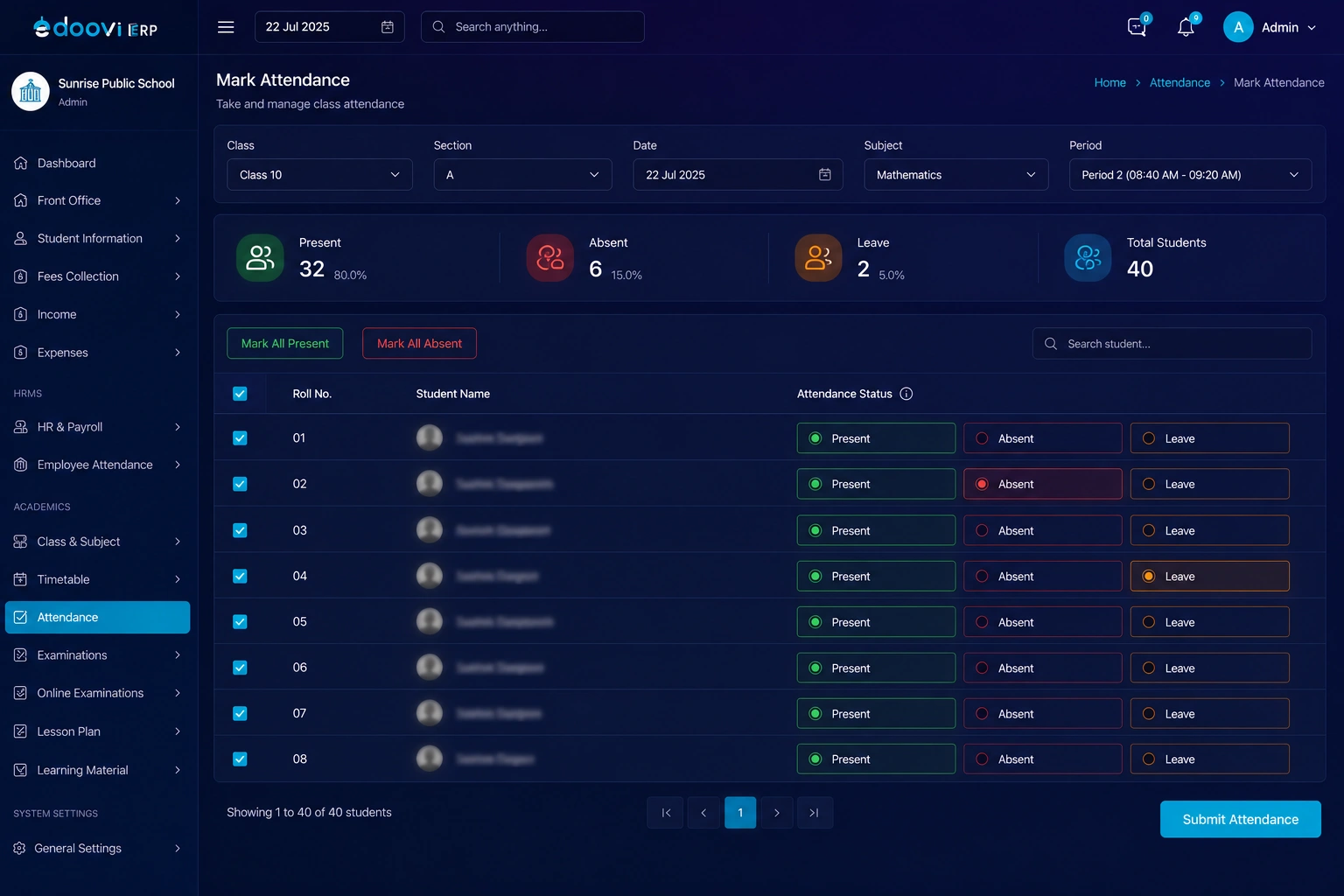
Attendance marked by face — for students and for staff

Edoovi ERP runs admissions, fees, attendance, exams and transport from one dashboard — with AI timetabling and a parent app on Android and iOS.

Parents watch the bus on a map and get a predicted arrival for their stop. Run it inside the ERP, or take just the tracking.

Set your periods, breaks and teacher availability once. Every class-section timetable is then built together, clash-free.

No roll call, no proxy, no shared fingerprint pad. The face is the register — and the same system marks staff attendance.

  • 30 days free
  • No credit card
  • Zero setup fee
  • Data stored in India
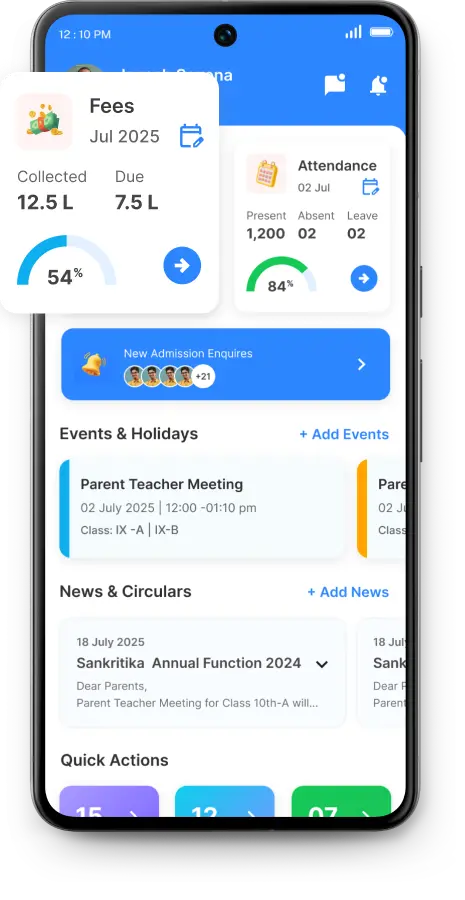
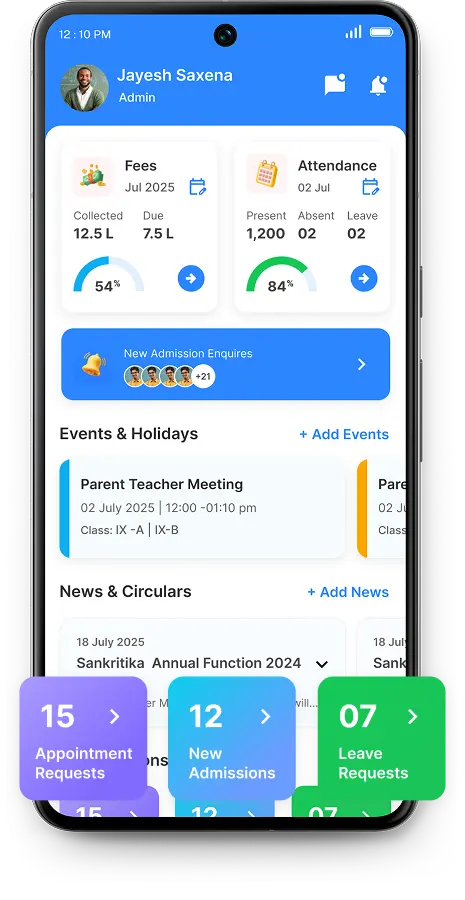
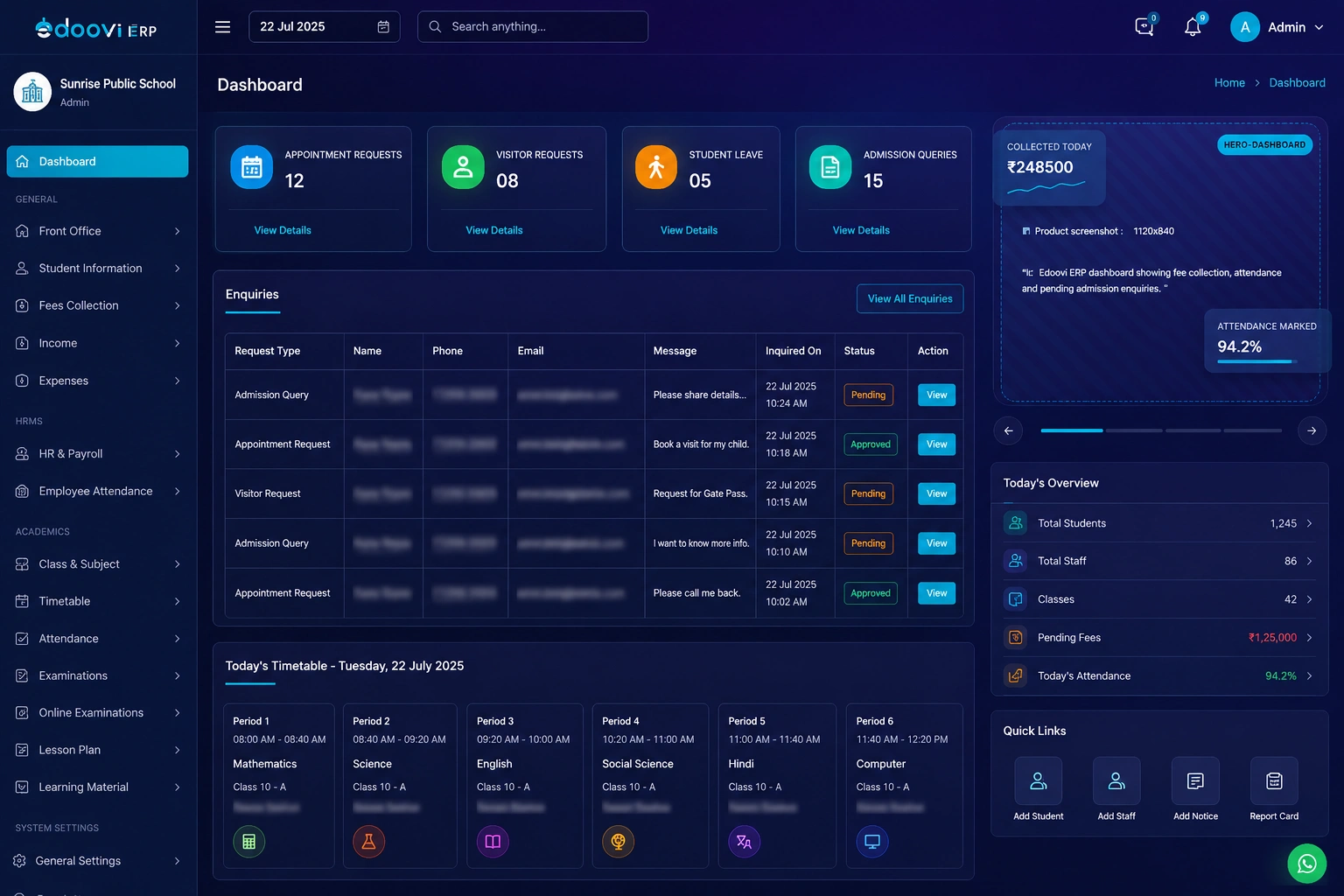
Edoovi ERP dashboard showing fee collection, attendance and pending admission enquiries

Schools already running on Edoovi

IS International School International Indian School Centurion International School Vedic Group of Schools Kimjhi Ramdas School Salmiya Indian Model School Navrachana International Shanti School LP Savni School Nirmla School Style School

The real problem

Not more software. The eight things you already do, in one place instead of eight.

Without a single system

  • Fee registers and Excel sheets Two people maintain the same numbers and they stop matching by the third month.
  • Attendance on paper Nobody knows a child is absent until the register is totalled at the end of the month.
  • Parents call the office Every fee question, every result question, every leave request — one phone, one clerk.
  • Reports take days A due-fee list for the trustees means someone sits with a calculator over the weekend.

With Edoovi ERP

  • One ledger, one truth Cash, UPI, cheque and gateway payments all post to the same student record instantly.
  • Marked in the classroom Class-wise marking takes a minute, and the parent knows before the second period.
  • Parents self-serve Attendance, dues, homework, results and circulars sit in the app on their phone.
  • Reports in a click Due fee, class strength, defaulters, daily collection — 73 reports, already built.

Everything inside

Eighteen school management features. One student record.

Every module writes to the same database, so a fee receipt, an attendance mark and a report card all draw on one record. No re-entry, no reconciliation, no two versions of the truth.

AI inside Edoovi

Five jobs the AI in Edoovi ERP already does on its own

Edoovi ERP uses AI in five places: it generates the school timetable and resolves teacher clashes, marks student and staff attendance by face, predicts when each bus reaches its stop, answers report questions typed in plain English, and flags what needs attention on the dashboard.

  • GPS tracking

    Live bus tracking — and you can take just this

    Parents watch the bus move on a map and get a predicted arrival for their own stop, so nobody guesses at the gate. Run it inside the ERP, or take the tracking on its own if that is all your school needs.

    • Live location in the parent app
    • Stop-wise arrival estimate
    • Sold on its own
  • AI timetable

    A whole school's timetable, in one pass

    Set your periods, breaks and teacher availability once. Every class-section timetable is built together rather than one at a time — so no teacher is double-booked.

    • Clash-free by construction
    • Teacher load balanced
  • Face recognition

    Attendance marked by face

    No roll call, no proxy, no shared fingerprint pad to queue at. The face is the register — and the same system marks staff attendance, not just students.

    • Students and staff
    • Proxy attendance closed off
  • AI dashboard

    Opens with what changed

    A class whose collection is slipping, a section whose attendance is falling — the dashboard raises it against the role that can act, instead of waiting to be asked.

    • Automatic insights
    • Anomaly and risk flags
  • AI in reports

    Ask in plain English

    Type it the way you would say it — pending fees in class 9 this month. The answer comes off the same built-in reports, and projects where next month lands.

    • Natural-language questions
    • Forecasts from your own data

All of it runs on your school's own records, held in Indian data centres like the rest of the system.

See these on a live demo

Where schools feel it first

Fees, attendance and parent communication — fixed in week one

Collect fees without chasing anyone

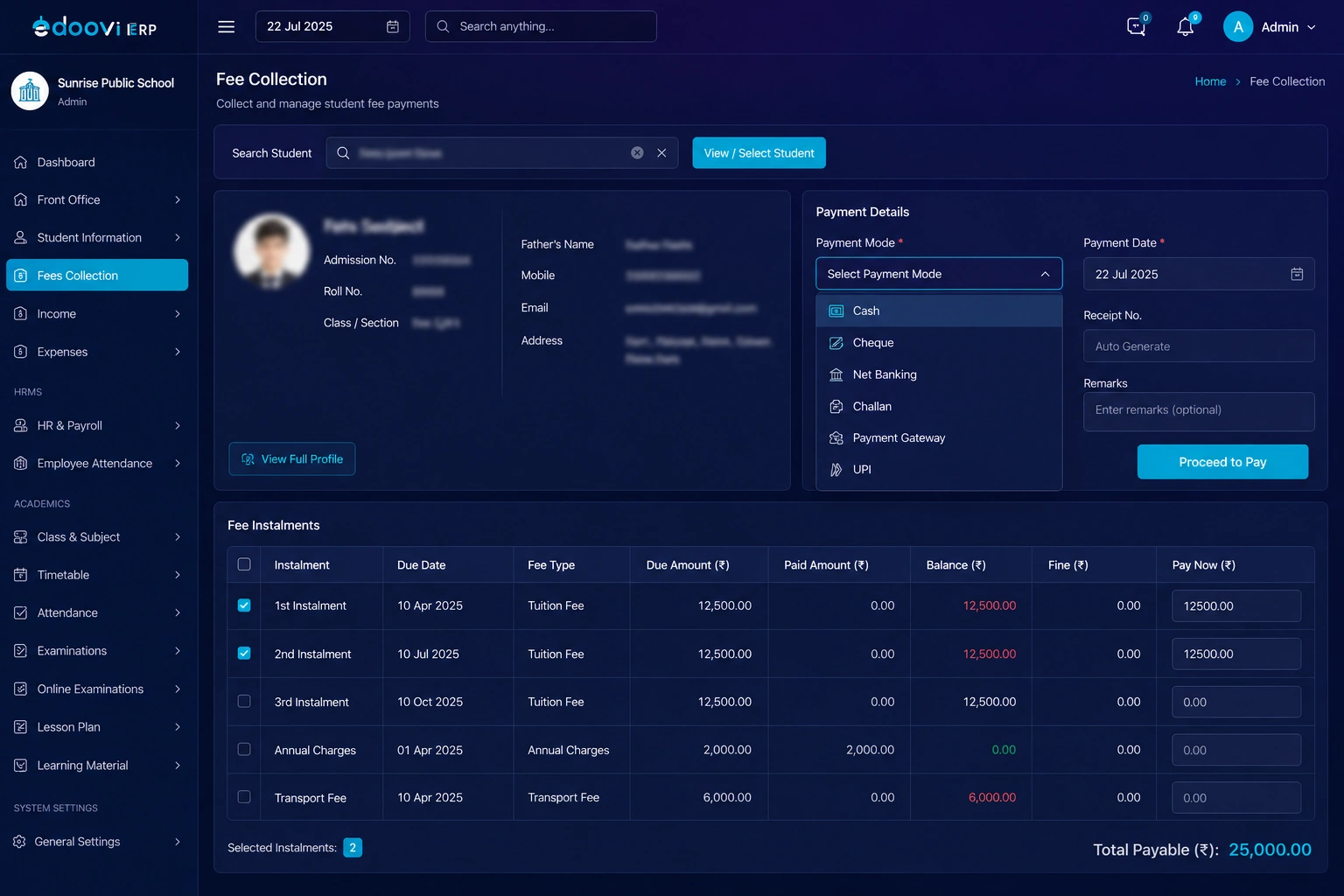
Search a student, pick the instalments, take the payment however the parent has it — cash, UPI, cheque, challan, net banking or gateway. The receipt is numbered and the due list shrinks by one.

  • Fee heads and class-wise allocationSet tuition, transport and activity heads once, then allocate by class or per student.
  • Concessions with an audit trailStaff-child, merit and need-based categories, with bulk allotment and OTP-locked discounts.
  • Every payment mode in one ledgerCash, cheque, challan, net banking, UPI and gateway all post to the same student record.
  • Dues that update themselvesDue-fee, instalment-wise and daily-collection reports rebuild the moment a receipt is cut.
See it on a live demo
Edoovi ERP fee collection screen with student search, payment mode and instalment selection

On the phone

A parent app and a school app. Eleven roles, and everybody sees only their part.

One app for parents and students, one for the school — where every staff role gets its own dashboard. The gatekeeper never sees the fee ledger, and the accountant never sees the gate log.

For parents & students

Edoovi Parent

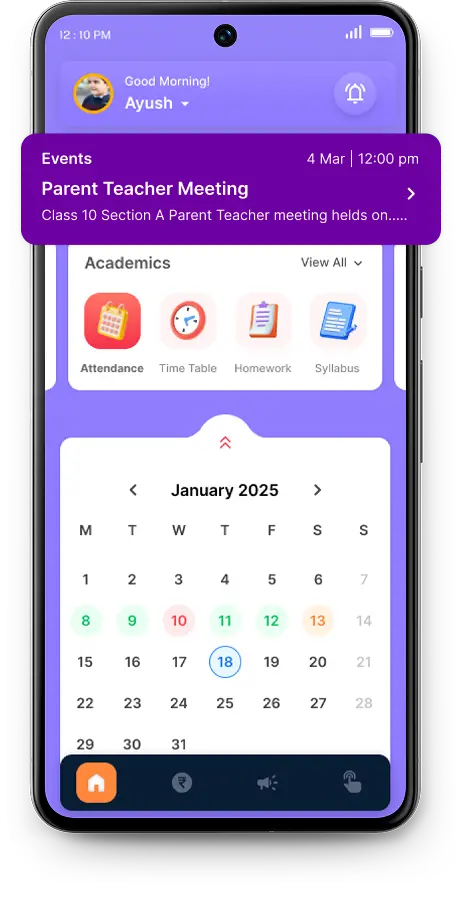
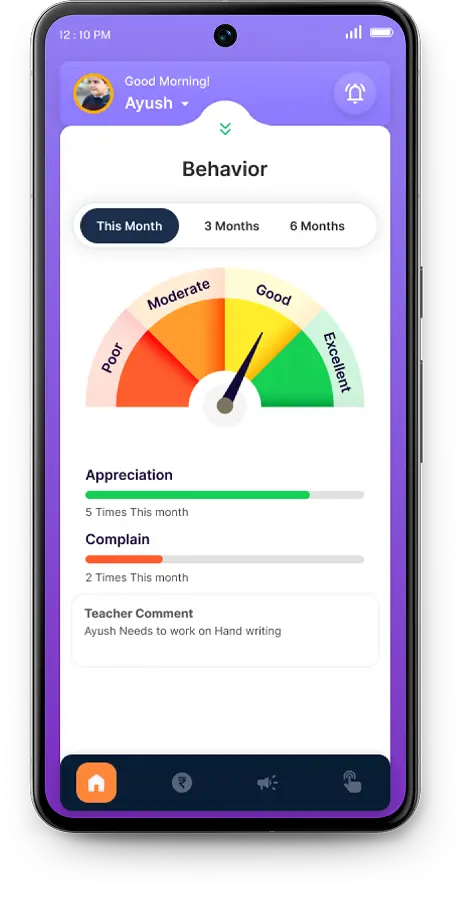
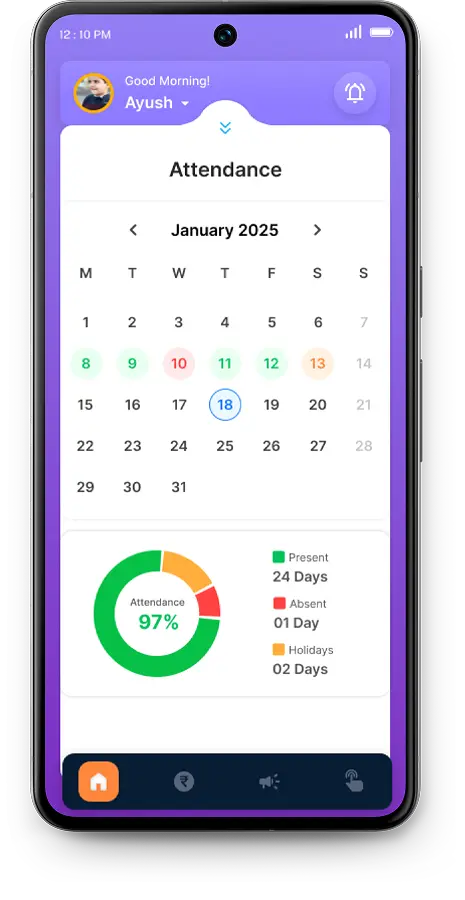
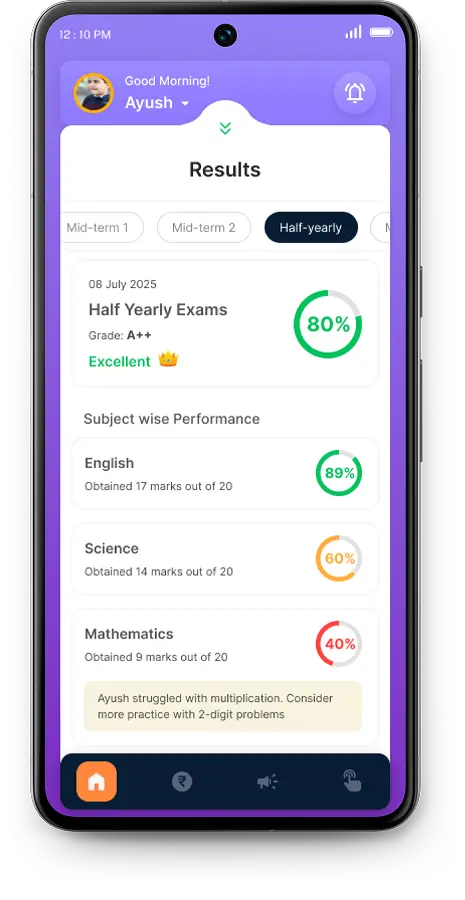
The app the parent actually opens — attendance before second period, dues without a phone call, results the moment they are declared.

  • Daily attendance and leave requests
  • Fee status, dues and online payment
  • Homework, syllabus and study material
  • Exam results and marksheets
  • Circulars, news and school calendar
  • Photo gallery and event updates
  • Concerns and feedback to the school
For the school

School Management App

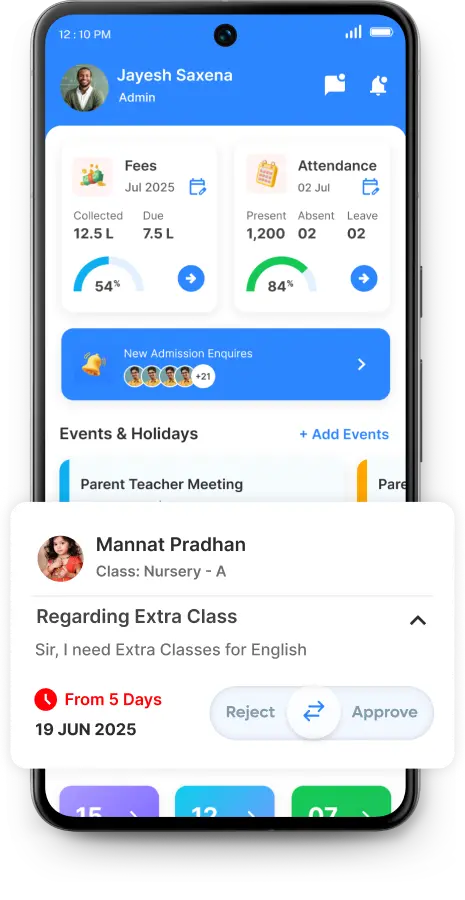
The same ERP, sized for a phone. Approve leave from the corridor, check today's collection between meetings, send a circular from the assembly ground.

Role-based dashboards inside the app

  • Admin
  • Principal
  • Authority / Director
  • Teacher
  • Academic Coordinator
  • Front Office
  • Accountant
  • Library
  • Transport
  • Security / Gatekeeper
  • Driver / Attendant

Instant alerts

The school stops remembering to tell people

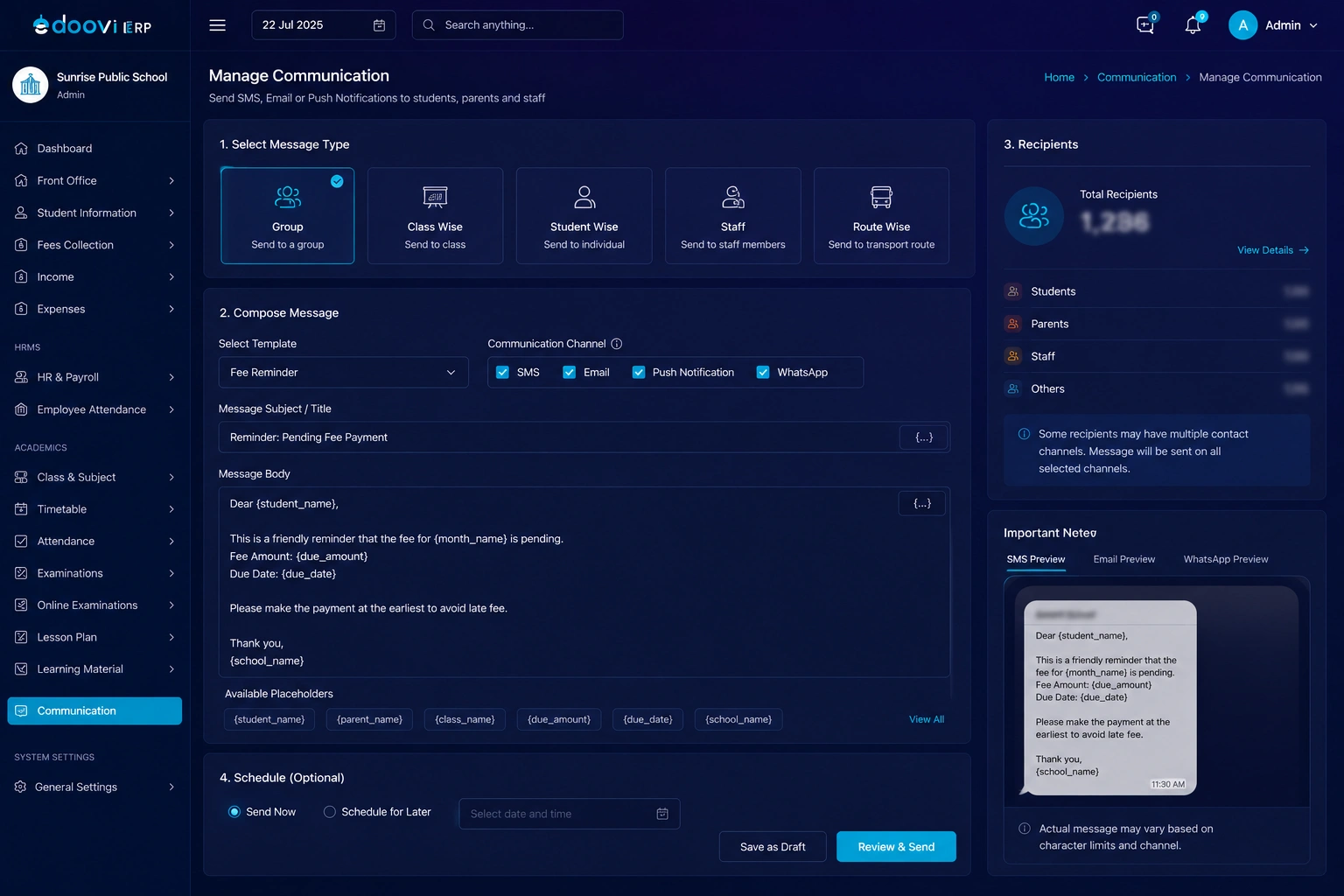
Automated school alerts and fee reminders on WhatsApp, SMS, push and email — sent the moment something changes, to exactly the parents it concerns. Nobody has to open a register, pull a list and start typing.

  • Attendance A student marked absent, or slipping below your threshold
  • Fees An instalment falling due, and again when it goes overdue
  • Exams Admit cards out, results declared, marksheets published
  • Transport Route changes and stop-wise arrival, straight to the parent
  • Circulars Notices, holidays and the school calendar
  • Birthdays The small one that parents notice most

Goes out on WhatsApp SMS Push notification Email

Reporting

73 school reports, already built

Not a report builder to learn — actual reports, written for how Indian schools are run and audited. Every one filters by class, section and date, exports, and can be asked for in plain English.

See the full report list
  • 29

    Student reports

    Class strength · Sibling · Contact · Birthday · New admissions · Promotion status

  • 16

    Fee reports

    Due fee · Daily collection · Instalment-wise · Concession · Cancelled receipts

  • 9

    Attendance reports

    Absentees · Monthly summary · Unmarked days · Class-level summary

  • 7

    Transport reports

    Route-wise · Stop-wise · Transport fee · Route-and-month collection

  • 7

    General reports

    SMS ledger · Delivery status · App download status · Enquiry source

  • 5

    Library reports

    All books · Issued · Overdue · Damaged or lost · Collection summary

What changes

What a school actually gets back after moving to Edoovi ERP

Four of these are the outcomes schools running Edoovi ERP report. The other four are simply what is in the box on the day you start.

  • 71%

    Less administrative workload

    Front-office hours returned to the school

  • 54%

    Faster fee collection

    With UPI, net banking and gateway payments

  • 67%

    Better parent engagement

    Attendance, dues and results in the parent app

  • 80%

    Stronger admission conversion

    Enquiries followed through to admission

  • 8→1

    Registers collapse into one record

    Fees, attendance, exams and the rest on one student

  • 0

    Setup fee, and nothing for 30 days

    No credit card, and no automatic charge at the end

  • 73

    Reports ready on day one

    Fee, attendance, transport, library and general

  • 11

    Role dashboards, down to the gate

    Director to driver, each seeing only their part

Percentages are outcomes reported by schools running Edoovi ERP. Counts are what ships with the product.

Free for 30 days

Run a full fee cycle on it before you decide

Bring one class across, collect a term's fees, mark a month of attendance and send a circular. Thirty days, every feature unlocked, on your own students and your own fee structure — then decide.

  • No credit card
  • Zero setup fee
  • Nothing charges automatically
A school administrator running Edoovi ERP on a laptop

On every phone

AI-Driven Features of Our Edoovi App

Trust

You are holding other people's children's data. We treat it that way.

A school ERP holds minors' names, addresses, phone numbers, photographs, health notes and fee histories. Under India's Digital Personal Data Protection Act that is the school's responsibility — so these controls are built in, not optional.

  • Data stays in India

    Every record — student, staff and financial — is stored in Indian data centres.

  • Role-based access

    A gatekeeper, a class teacher and a director each see only what their role permits. Nothing more.

  • OTP on sensitive actions

    Fee discounts and receipt cancellations can be locked behind an OTP, so no single person can quietly reverse money.

  • Full audit trail

    Every receipt records who processed it and when. Cancelled receipts stay in the ledger rather than disappearing.

  • Locks for closed periods

    Fee and exam periods can be locked, so last year's numbers cannot be edited after they are signed off.

  • Parents see one child

    The parent app is scoped to their own child's record. There is no directory of other families to browse.

Read how we handle your data →

Getting started

School ERP implementation: nobody hands you a login and wishes you luck

How long setup takes depends on your size and the state of your current records — so we look first and commit after, rather than quoting a number we would have to walk back.

  1. 01

    We look at what you have now

    Registers, Excel sheets, an older ERP — whatever the records live in today. We go through it with you before promising a timeline, because the data is what decides it.

  2. 02

    Your school gets configured

    Classes and sections, subjects, fee heads and instalments, exam pattern, bus routes, staff roles and certificate formats — set up to match how your school already works.

  3. 03

    Your data comes across

    Student records, parent contacts, fee structures and previous dues are imported and checked against your registers before anyone starts using the system.

  4. 04

    Your staff gets trained

    On-site or remote, whichever suits you — front office, class teachers, accountants and management each get trained on their own screens, not a generic tour.

What schools say

Schools do not switch ERP for fun

Six things school teams told us changed after the move — fee reconciliation, parent calls, timetabling and the rest.

The fee register and the accountant's sheet used to stop matching by the third month. Now there is one ledger, and the due list is right on the morning I need it for the trustees.

Principal CBSE school · 900 students Fees & accounting

Parents used to ring the office to ask where the bus was. They open the app instead. That phone stopped ringing for it almost entirely.

Front office in-charge Day school · Rajasthan Transport & parent app

Timetabling used to take the coordinator the better part of a week every session, and there were always two teachers double-booked somewhere. It comes out clash-free now.

Academic coordinator ICSE school · 1,400 students AI timetable

Attendance reaches the parent before the second period instead of at the end of the month. The number of "nobody told us" conversations has dropped to almost none.

Class teacher State board school · Alwar Attendance

What sold it internally was that the gatekeeper, the librarian and the accountant each see only their own screen. Nobody had to be talked into it.

Director Multi-branch group · 3 campuses Roles & access

We ran a whole fee cycle on the trial before signing anything. That is the part I would tell another school to do.

Trustee CBSE school · Bengaluru Onboarding

Quotes are shown by role and school type. We publish a name only with the school's written permission — and no rating until there is verifiable review data behind it.

Why schools pick Edoovi

We would rather be specific than loud

Every school ERP claims the same six things. These are the ones we can put a number, a screen or a form against.

  1. Built around Indian school paperwork

    Transfer, bonafide and character certificates, admit cards, UDISE and affiliation numbers, CBSE registration for IX and XI, Aadhaar fields, April–March or May–April sessions. The forms already match yours.

  2. The parent app is not an add-on

    Every plan includes the parent and student app on Android and iOS — parent access is never a separate line item.

  3. Role dashboards down to the gate

    Eleven roles, from director to driver, each with their own view. The gatekeeper logs visitors, the accountant closes the day, and neither sees the other's screen.

  4. You are talking to the people who build it

    Edoovi Labs is a small team. Report something and it reaches the people who wrote the feature, not a queue behind a thousand tickets.

  5. Thirty days, everything unlocked

    No credit card, no setup fee, and nothing charges automatically when the trial ends. Run a full fee cycle on it before you decide.

  6. Reports that survive an audit

    Cancelled receipts stay visible, every transaction records who processed it, and closed fee periods can be locked so last year's numbers cannot quietly change.

Plans

Three school ERP plans. Each one picks up where the last stops.

Pricing depends on your student strength and the modules you switch on, so we quote per school. Every plan starts with the same 30-day free trial — all features, no card, no setup fee.

  • Start digital

    Stepper

    Schools going digital for the first time

    • Student Management
    • Transport Management
    • Fees Module
    • Online Fee Payment
    • Attendance Module
    • Communication Module
    • TC Management
    • Homework
    • Concern / Feedback
    • Gallery
    • School Calendar
    • Student Leave
    • Syllabus
    • Previous Session Records
    • Module-wise Reports
    Role dashboards
    Admin Teacher Student & Parent
    Get a quote for Stepper
  • Most Popular
    Automate academics

    Elevator

    Schools that want academics automated too

    Everything in Stepper
    • Exam Master
    • Timetable Management
    • Enquiry / Admission Enquiry
    • Class Test Management
    • Staff Management
    • Module-wise Reports

    100 SMS per student per year

    Adds these role dashboards
    Principal Authority / Director
    Get a quote for Elevator
  • Full campus

    Accelerator

    Large campuses running transport, library and security

    Everything in Elevator
    • Admit Card Management
    • Library Management
    • Security & Visitor Module
    • Online Classes
    • E-Learning
    • GPS Tracking

    200 SMS per student per year

    Adds these role dashboards
    Academic Coordinator Front Office Library Transport Security / Gatekeeper Driver / Attendant
    Get a quote for Accelerator

Not sure which one fits? Tell us your student strength and the modules you need — we will point you at the smallest plan that covers it, not the biggest one.

Questions

School ERP questions, answered straight

If yours is not here, message us on WhatsApp — a person answers, not a form.

Ask us something else

What is school ERP software?

School ERP software is a single system that runs a school's day-to-day administration — admissions, fees, attendance, exams, timetables, transport, library, staff records and parent communication. Instead of separate registers and spreadsheets, every feature writes to one database, so a fee receipt, an attendance mark and a report card all draw on the same student record.

Does Edoovi ERP use AI?

Yes, in five places. AI generates the school timetable and resolves teacher clashes, face recognition marks student and staff attendance, transport predicts when each bus reaches its stop, reports can be asked for in plain English and projected forward, and the dashboard raises what has changed — a drop in collection or in a section's attendance — instead of waiting to be asked for it.

Can attendance be marked with face recognition?

Yes. Attendance can be marked by face for students and for staff, alongside the usual class-wise marking. It removes the roll call and closes off proxy attendance, and the result lands in the same attendance register — so cumulative percentages, low-attendance alerts to parents and the nine attendance reports all work exactly as before.

Can parents track the school bus live?

Yes. The parent app shows the bus on a map as it runs, along with a predicted arrival time for the child's stop, so nobody waits at the gate guessing. Inside the ERP it sits in the transport feature on the Accelerator plan, and it can also be taken on its own if bus tracking is all your school needs.

How long does it take to set up Edoovi ERP in a school?

It depends on the size of the school and how much historical data needs to be brought across. Our team handles the setup with you and confirms a timeline after looking at your current records. Onboarding and training can be done on-site or remotely, whichever suits your staff.

Is there a free trial, and does it need a credit card?

Yes. Edoovi ERP is free for 30 days with every feature unlocked. No credit card is required, there is no setup fee, and nothing charges automatically when the trial ends.

Do parents get a mobile app?

Yes. The Edoovi Parent app is available on both Android and iOS. Parents see attendance, fee status and dues, homework, exam results, the school calendar, circulars and gallery updates, and can raise leave requests or concerns directly from the app.

Can we collect fees online through Edoovi?

Yes. Fees can be collected by UPI, net banking, card, cheque, challan or cash, and every mode posts back to the same ledger. Receipts are generated with a unique number and the due-fee report updates immediately.

Does Edoovi work for CBSE, ICSE and State Board schools?

Yes. The academic structure — classes, sections, subjects, exam patterns, grading and certificate formats — is configured per school, so the same system serves CBSE, ICSE and State Board institutions.

Where is our school's data stored?

All data is stored in Indian data centres. Access is role-based, so a class teacher, an accountant and a director each see only what their role permits, and sensitive actions like fee discounts or receipt cancellation can be locked behind OTP verification.

Does Edoovi ERP work without internet?

No — Edoovi ERP is a cloud system and needs an internet connection. That is what keeps every device, from the front office desktop to a parent's phone, looking at the same live data.

Start free

Run one full fee cycle on it. Then decide.

Thirty days, every feature unlocked, your real students and your real fee structure. No credit card, no setup fee, and nothing charges when the trial ends.

  • 30 days free
  • No credit card
  • Zero setup fee
  • Data stored in India
Talk to us